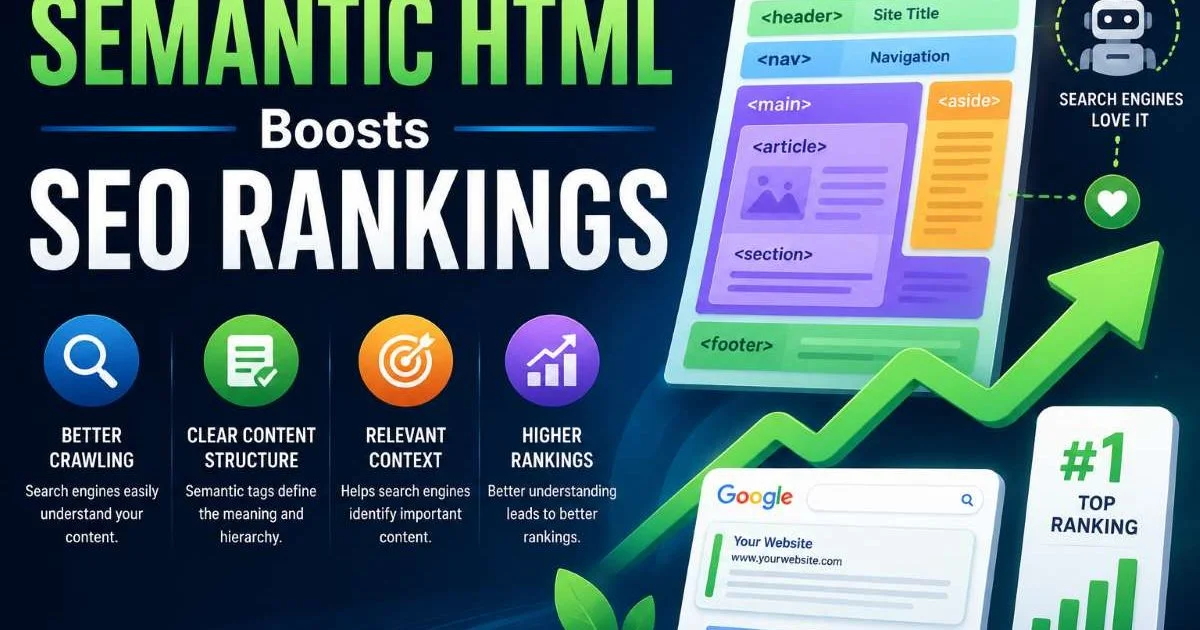
Semantic HTML boosts SEO rankings by giving search engines a clear, machine-readable map of your content's meaning and structure. If you've ever wondered why some pages outperform others despite having similar content, the answer often lies in the underlying markup. Search engines like Google don't just read text; they parse the document structure to understand relationships between headings, navigation, articles, and sidebars.
For frontend developers, writing semantic markup is one of the most impactful, low-effort optimizations available. It costs nothing, requires no third-party tools, and improves both discoverability and user experience simultaneously.
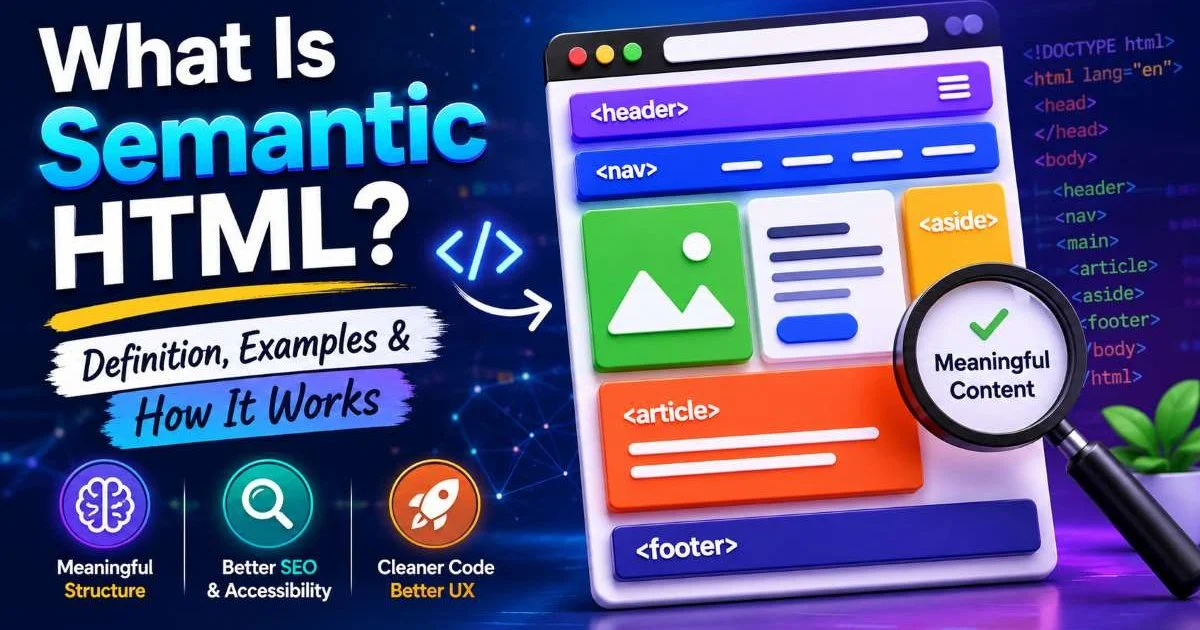
To understand the foundations of this approach, read about what semantic HTML is, with definitions and examples. This guide walks through four concrete steps you can take today to start seeing results.
Key Takeaways
- Replacing generic
<div>elements with semantic tags directly improves search engine comprehension. - Proper heading hierarchy helps crawlers identify your page's primary topics and subtopics.
- Semantic structure reduces bounce rates by making content scannable and accessible to all users.
- Rich snippets and featured snippets favor pages with clearly structured, meaningful HTML.
- Validating your markup catches structural errors that silently hurt crawl efficiency.
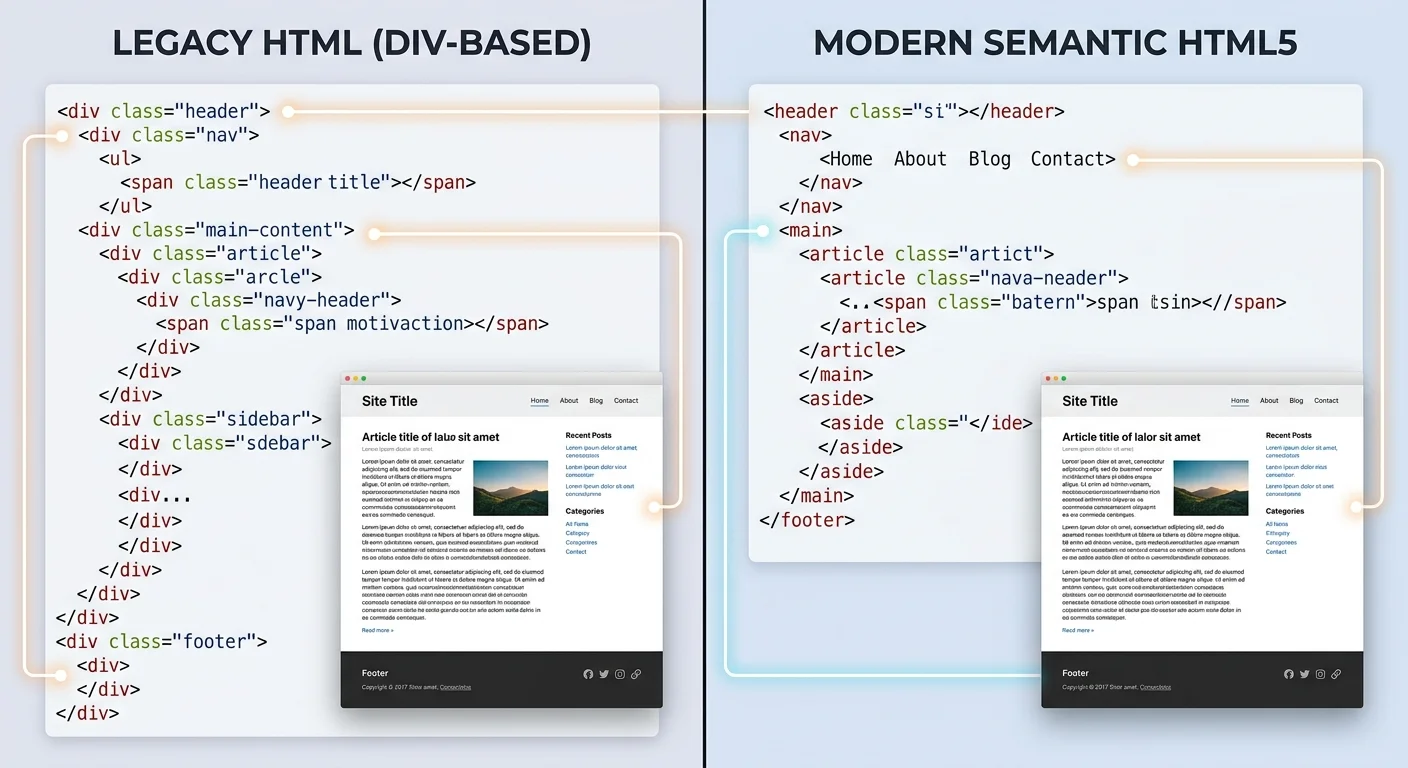
Step 1: Replace Div Soup With Semantic Elements
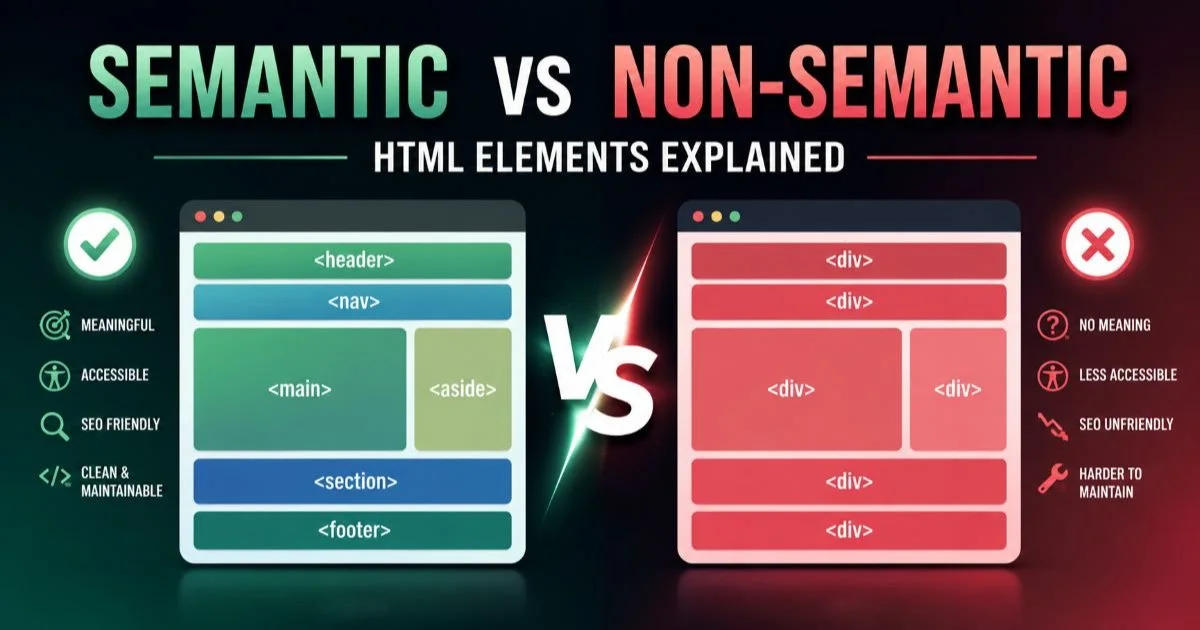
The single most impactful change you can make is swapping meaningless <div> and <span> wrappers for their semantic counterparts. Elements like <header>, <nav>, <main>, <article>, <section>, <aside>, and <footer> carry inherent meaning that browsers and crawlers interpret. When Googlebot encounters a <nav> element, it understands that block contains navigation links, not primary content. This distinction helps search engines allocate crawl budget more efficiently and index your actual content rather than boilerplate.
For a thorough comparison between meaningful and generic tags, the breakdown of semantic vs non-semantic HTML elements is worth reading. The practical difference is significant: a <div className="article"> tells a machine nothing, while an <article> tag explicitly communicates that the enclosed content is a self-contained composition. Search engines use these signals to determine content boundaries, which affects how your pages appear in search results.
Start by auditing your most important landing pages first. Use your browser's DevTools to search for div elements that could be replaced with header, main, article, section, aside, or footer.
Choosing the Right Elements
Not every <div> needs replacing. Decorative wrappers used purely for CSS layout (like flex containers or grid wrappers) are fine as generic elements. The goal is to use semantic elements where content has meaning. A blog post should live inside <article>. A sidebar with related links belongs in <aside>. Your site's primary content area should be wrapped in <main>, and there should only be one <main> per page.
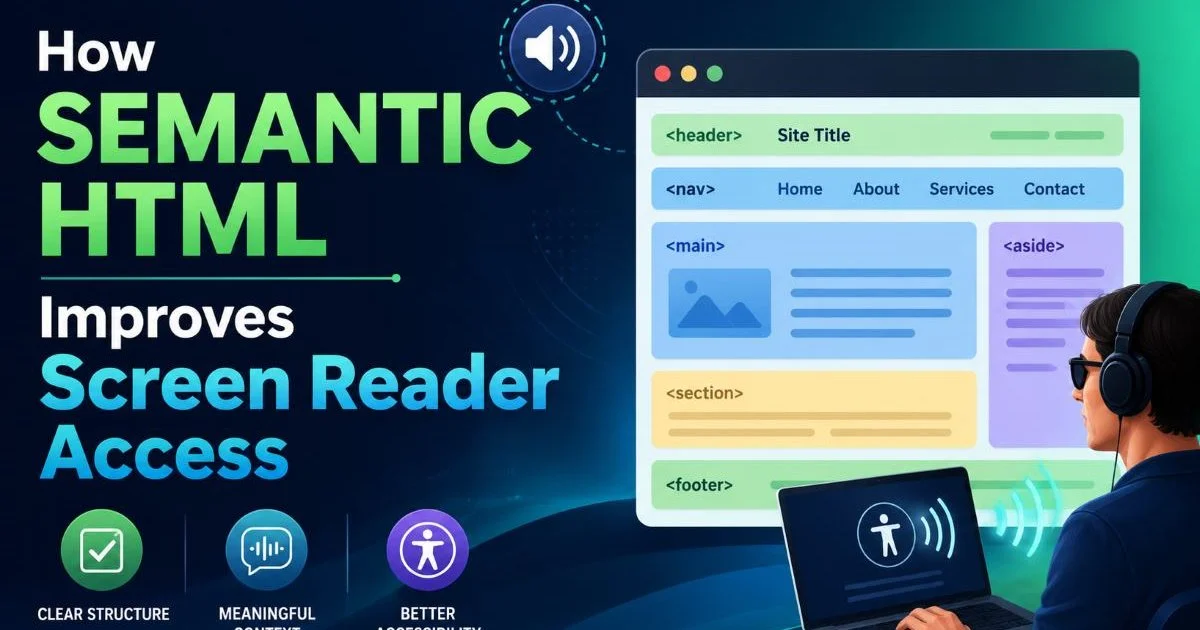
Think of HTML structure as an outline. Each semantic element acts like a labeled section in that outline, telling both humans and machines what role each block plays. This is the foundation of accessible web design, because assistive technologies rely on these landmarks to help users navigate. When your structure is clear, everyone benefits: screen reader users, search engine crawlers, and sighted visitors scanning the page.
Step 2: Build a Logical Heading Hierarchy
Heading tags from <h1> through <h6> are among the strongest on-page SEO signals you control. Search engines use heading hierarchy to build a topical model of your page. Your <h1> should appear exactly once and describe the page's primary topic. Subsequent <h2> tags define major sections, while <h3> tags break those sections into subtopics. Skipping levels (jumping from <h2> to <h4>) confuses crawlers and weakens your content's topical clarity.
A well-structured heading hierarchy also improves user engagement metrics that indirectly affect rankings. When visitors can scan your headings and quickly find the section they need, they stay longer and bounce less. Google's helpful content guidelines emphasize user-first content, and scannable structure is a core part of that. Pages with clear headings tend to earn more featured snippets, too, because Google can extract a clean answer from a well-labeled section.
Common Heading Mistakes
One frequent error is using heading tags for visual styling rather than structural meaning. If you need large, bold text for a callout, use CSS on a <p> or <span> instead of repurposing an <h3>. Another mistake is stuffing keywords into every heading. Your headings should read naturally and describe the content beneath them. Google's algorithms are sophisticated enough to understand synonyms and related terms without blunt keyword repetition.
Multiple <h1> tags on a single page is another common issue. While the HTML5 spec technically allows multiple <h1> elements within sectioning content, Google's John Mueller has stated that a single <h1> per page helps their systems understand the page better. Stick with one <h1> and use <h2> through <h4> for everything else. This keeps your document outline clean and unambiguous for both crawlers and assistive technologies.
Never use heading tags purely for font size or visual weight. This creates a misleading document outline that hurts both SEO and screen reader navigation.
Step 3: Use Semantic HTML to Boost SEO Rankings With Rich Results
Semantic HTML boosts SEO rankings most visibly when it enables rich results in search. Featured snippets, FAQ dropdowns, and knowledge panels all depend on Google's ability to extract structured information from your page. Clean semantic markup makes this extraction reliable. When your content is wrapped in appropriate elements with a logical hierarchy, Google can confidently pull a paragraph, list, or table into a snippet position. Pages that earn featured snippets see click-through rate increases of up to 30%.
Pairing Semantics With Structured Data
Semantic elements and schema.org structured data work together as complementary signals. Your <article> tag tells Google "this is an article," while JSON-LD structured data provides specific metadata like author, date published, and headline. Neither replaces the other. Think of semantic HTML as the structural foundation and structured data as the detailed annotation layer. Together, they give search engines maximum confidence in understanding and displaying your content.
Consider a practical example: a recipe page. Using <article> for the recipe, <section> for ingredients and instructions, and <ol> for step-by-step directions creates a clear structure. Adding Recipe schema on top lets Google display cooking times, ratings, and calorie counts directly in search results. Without the semantic foundation, the structured data sits on top of ambiguous markup, and Google may not trust the signals as strongly.
"Semantic markup is the structural foundation; structured data is the annotation layer. Together, they give search engines maximum confidence."
It's worth noting that semantic structure also supports compliance and trust signals on your site. Pages that are well-structured and accessible tend to align with broader regulatory expectations. For instance, if your site handles user data in the EU, understanding GDPR fines and penalties is relevant, and having a well-organized, accessible privacy page (built with proper HTML structure) demonstrates transparency to both users and regulators.
| Element | Purpose | SEO Benefit | Rich Result Support |
|---|---|---|---|
<article> | Self-contained content | Content boundary detection | Article snippets |
<nav> | Navigation links | Crawl efficiency | Sitelinks |
<main> | Primary page content | Content prioritization | Featured snippets |
<section> | Thematic grouping | Topical segmentation | Passage ranking |
<aside> | Supplementary content | Separates boilerplate | Minimal direct impact |
<header>/<footer> | Page/section metadata | Structural clarity | Breadcrumb snippets |
Step 4: Validate and Audit Your Markup
Writing semantic markup is only half the job. You need to verify that your HTML is valid and structurally sound. Malformed tags, unclosed elements, and nesting errors can silently degrade how crawlers parse your page. A tag soup of broken HTML forces browsers into quirks mode and makes search engine parsing unpredictable. Regular validation catches these issues before they impact your rankings. Use a reliable HTML validator to check your pages after each significant update.
Add HTML validation to your CI/CD pipeline. Tools like html-validate or vnu-jar can run automatically on every pull request to catch structural errors early.
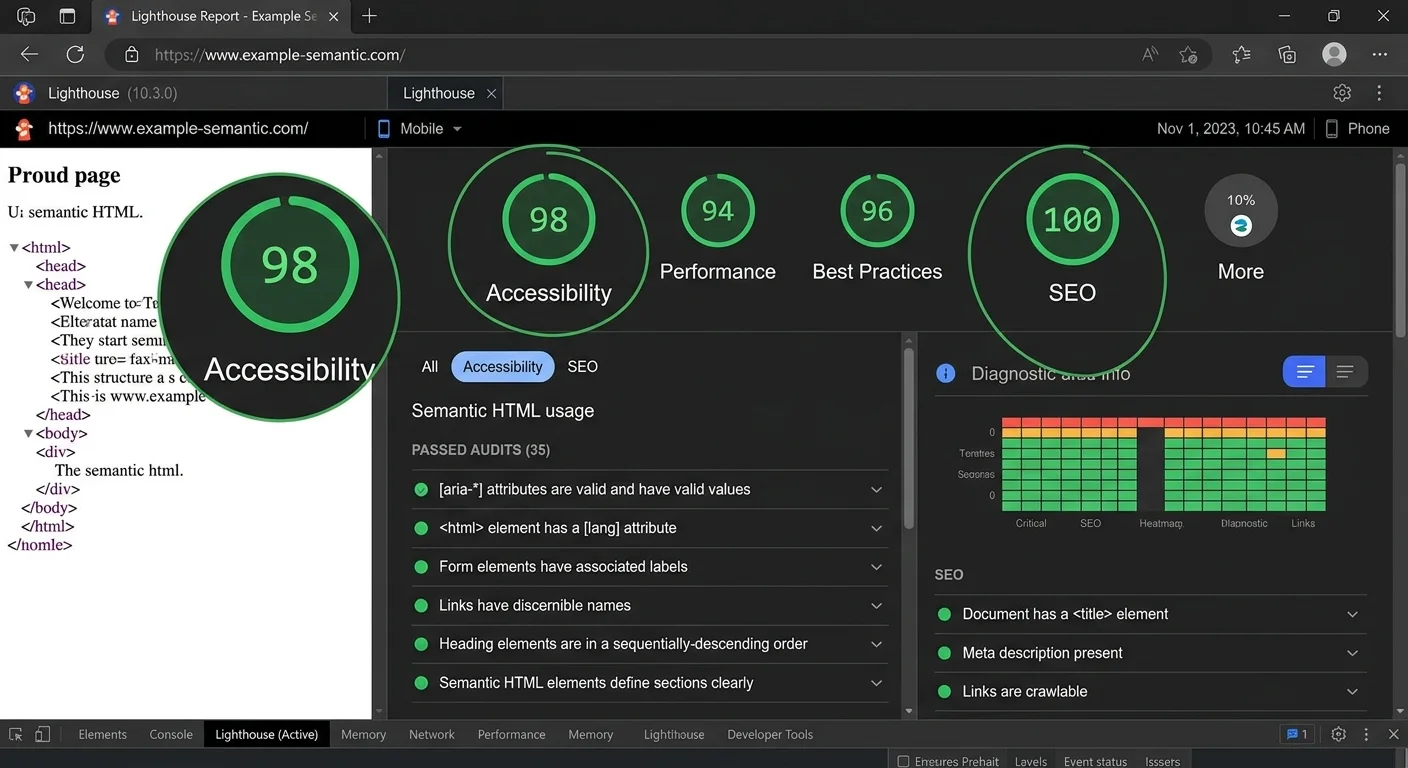
Beyond validation, run your pages through Lighthouse's accessibility audit. Many accessibility issues overlap directly with SEO problems. Missing heading levels, absent landmark regions, and improper list nesting all appear in accessibility audits, and every one of them also affects how search engines interpret your content. A Lighthouse accessibility score above 90 generally correlates with strong semantic structure.
Accessibility Audits as SEO Audits
The overlap between accessibility and SEO is not a coincidence. Both disciplines require clear structure, meaningful labels, and logical content flow. When you fix accessibility issues, you simultaneously fix SEO problems. For example, adding proper alt text to images helps screen reader users and gives Google image search additional context. Understanding how semantic HTML improves screen reader access reinforces why these fixes have dual benefits.
In some cases, you may need to supplement native semantics with ARIA attributes, particularly for complex interactive components. However, the first rule of ARIA is "don't use ARIA if a native HTML element will do." For situations where ARIA is genuinely needed, the guide on using ARIA roles with semantic HTML for accessibility provides practical patterns. The key is to build on a solid semantic foundation first, then layer ARIA only where native elements fall short.
ARIA attributes should supplement semantic HTML, not replace it. Overusing ARIA on elements that already have native semantics can actually create conflicts for assistive technologies.
Make auditing a recurring practice, not a one-time project. Search engines continually update their parsing capabilities, and new semantic elements or best practices emerge over time. Set a quarterly calendar reminder to run validation, accessibility, and structured data tests on your top-performing pages. This habit keeps your site's semantic foundation strong as it grows and changes.
Frequently Asked Questions
?How do I find div soup on my existing pages?
?Does semantic HTML help if I already use schema markup?
?How long does it take to see ranking changes after fixing markup?
?Is it harmful to leave decorative div wrappers in place?
Final Thoughts
Semantic HTML boosts SEO rankings because it aligns your code with how search engines actually process web pages. The four steps outlined here, replacing divs with semantic elements, building logical heading hierarchies, enabling rich results, and validating your markup, form a complete, repeatable workflow.
None of these steps require expensive tools or dramatic refactors. Start with your highest-traffic pages, measure the impact over a few crawl cycles, and expand from there. The compounding benefits of clean semantic structure will show up in your rankings, your accessibility scores, and your development velocity.
Disclaimer: Portions of this content may have been generated using AI tools to enhance clarity and brevity. While reviewed by a human, independent verification is encouraged.