Semantic vs non-semantic HTML elements represent one of the most fundamental distinctions in modern web development. Every time you write a line of HTML, you choose between elements that carry meaning and elements that carry none. That choice ripples outward, affecting how screen readers interpret your page, how search engines index your content, and how future developers maintain your code.
For frontend developers, understanding this distinction isn't optional; it's foundational. The wrong choice can bury your content in search results, lock out users who rely on assistive technology, or turn a clean codebase into an unreadable mess.
Getting it right, on the other hand, improves your site's accessibility, your SEO performance, and your team's velocity. This article breaks down the two approaches across four clear dimensions so you can make informed decisions in every project.
Key Takeaways
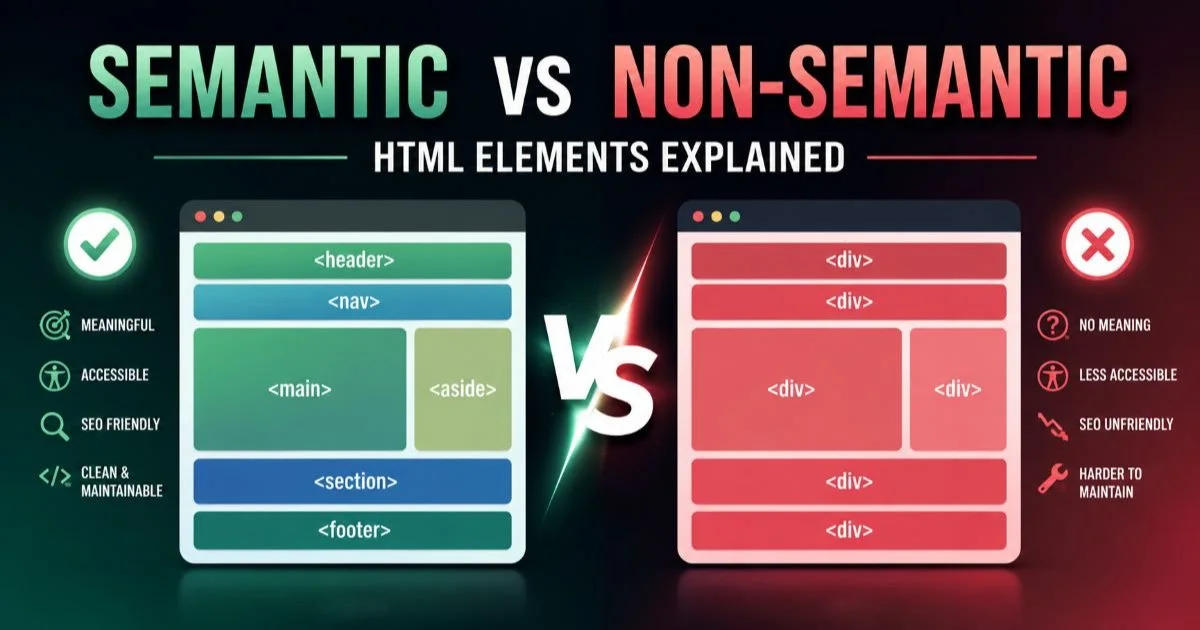
- Semantic elements describe their content's purpose; non-semantic elements describe nothing at all.
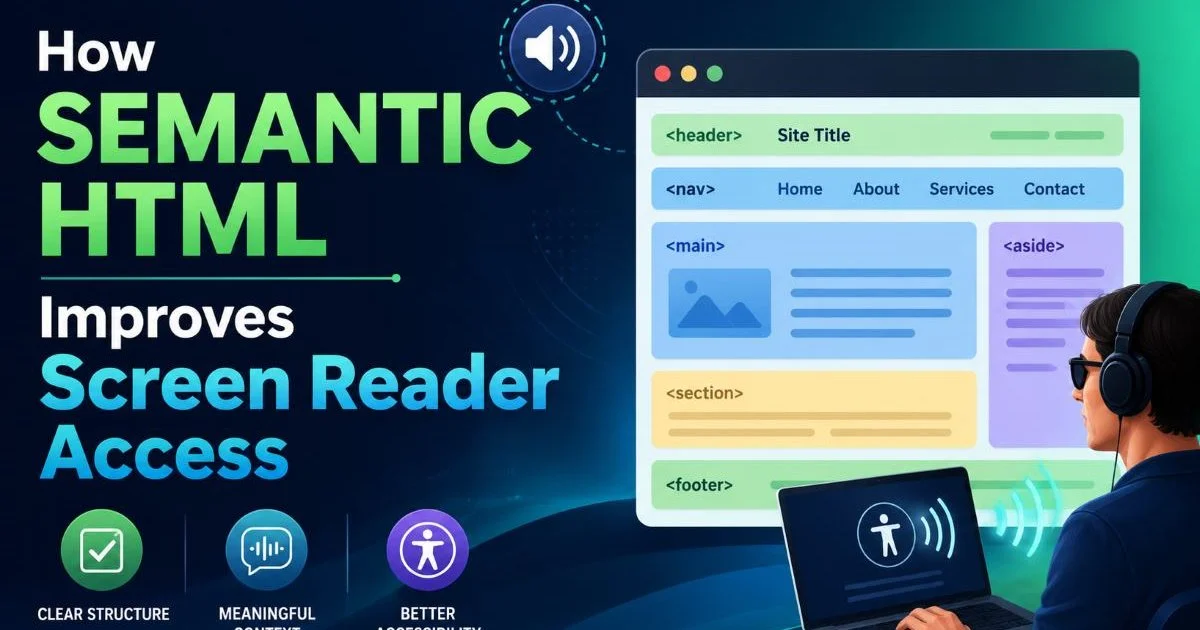
- Screen readers rely on semantic HTML structure to build accessible navigation landmarks automatically.
- Google's ranking algorithms reward pages with clear, meaningful document outlines.
- Replacing a single
<div>with<nav>can eliminate dozens of ARIA attributes. - Adopting semantic elements reduces long-term maintenance cost and onboarding time for new developers.
What They Are: Definitions and Core Differences
Semantic Elements Defined
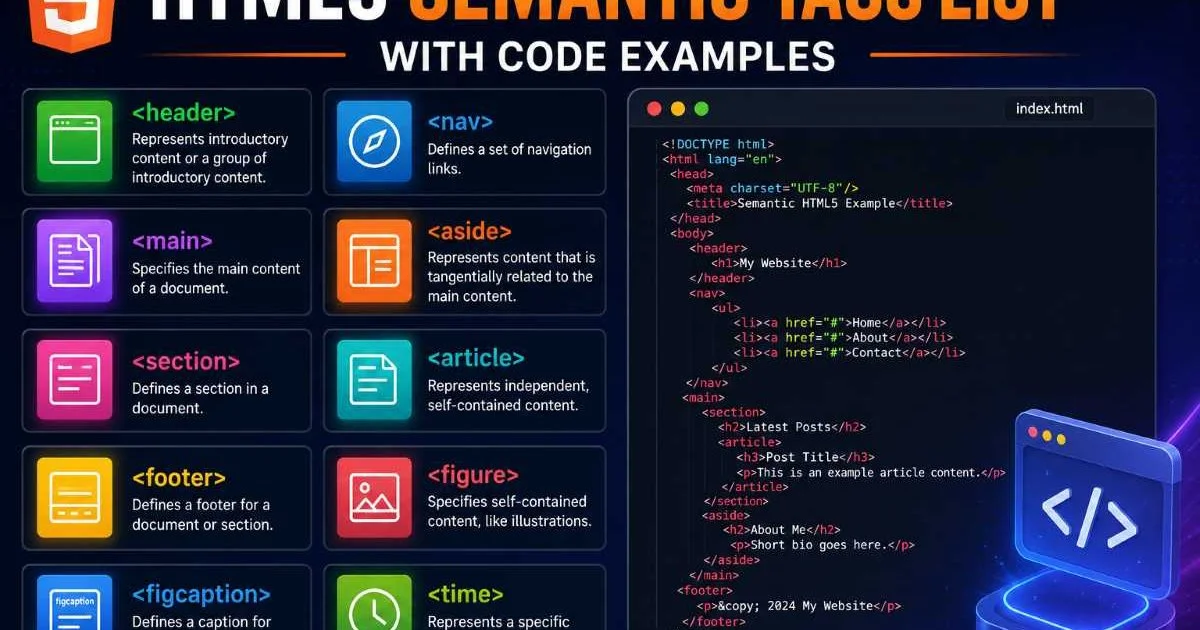
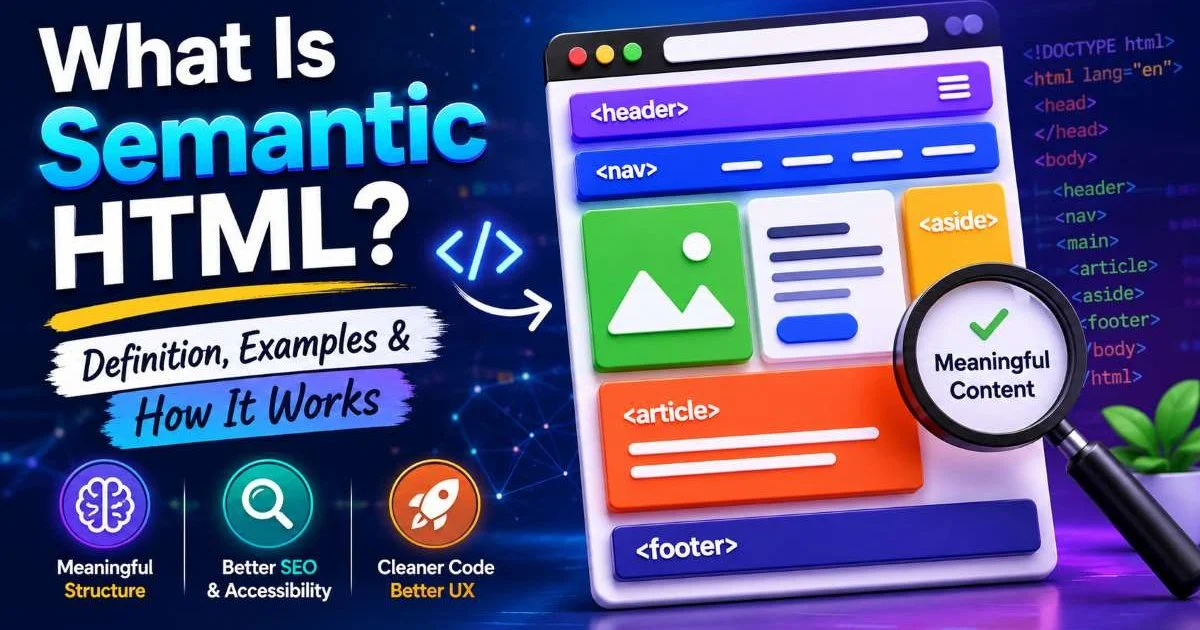
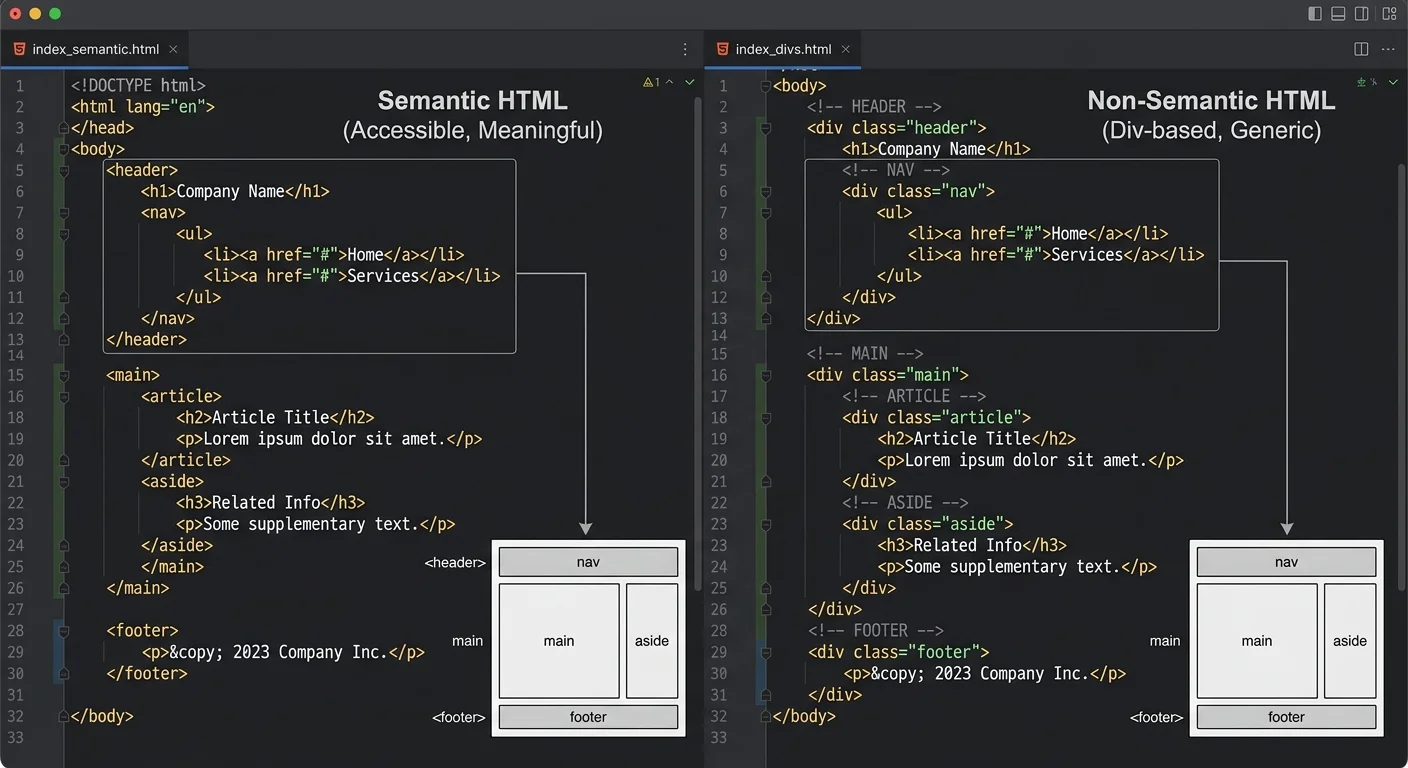
Semantic HTML elements are tags that explicitly communicate the role or meaning of the content they wrap. Elements like <article>, <header>, <footer>, <main>, and <aside> tell both browsers and assistive technologies what a section of the page represents. If you want a thorough grounding in how these elements work, our complete guide to semantic HTML covers definitions and practical examples in depth. The HTML5 specification introduced over two dozen new semantic elements specifically because the web needed a richer vocabulary than <div> and <span> could provide.
Each semantic element maps to an implicit ARIA role. A <nav> element automatically receives the navigation role. A <main> element maps to main. This means the browser already knows how to expose these sections to the accessibility tree without you writing a single attribute. The result is less code, fewer bugs, and a more predictable experience for every user.
Non-Semantic Elements Defined
Non-semantic elements, primarily <div> and <span>, are generic containers. They carry zero inherent meaning. A <div> wrapping your navigation looks identical to a <div> wrapping your footer as far as any automated parser is concerned. To give them purpose, you need to layer on classes, ARIA roles, and documentation. This is not inherently wrong; sometimes a generic container is exactly what you need for layout purposes.
The problem arises when developers use non-semantic elements as their default choice. When every section of a page is a <div> with a class name like .header or .sidebar, the meaning exists only in the CSS layer. Remove the stylesheet and the document becomes an undifferentiated wall of content. Machines, screen readers, and search engine crawlers all lose the structural cues they depend on.
Accessibility and Assistive Technology
Built-in Roles vs. Manual Roles
Accessible web design starts with the DOM. When a screen reader encounters a <nav> element, it announces "navigation" and lets the user jump directly to it from a landmarks menu. With a <div role="navigation">, you can achieve the same result, but you carry the maintenance burden. If someone removes that role attribute during a refactor, the landmark vanishes silently. Semantic elements make the accessible behavior the default, which means the failure mode is far less likely.
The numbers paint a stark picture. The WebAIM Million study consistently finds that the vast majority of accessibility errors trace back to low-contrast text, missing alt attributes, and poor document structure. Swapping generic containers for proper semantic elements directly addresses the structural category. It won't fix every issue, but it eliminates an entire class of problems with minimal effort. Regulatory frameworks like the EU AI Act are also raising the bar for digital accessibility, as discussed in this overview of EU AI Act compliance, which increasingly intersects with how web content is structured.
Real-World Screen Reader Behavior
Screen readers like NVDA, JAWS, and VoiceOver build a virtual document model from the accessibility tree. That tree is constructed from the DOM, and semantic elements populate it with rich metadata automatically. Users routinely navigate by landmarks, headings, and regions. When your page has a <header>, <main>, and <footer>, a VoiceOver user can press a single keystroke to jump between them. Replace those with <div> elements and the user is left tabbing line by line through your content.
Test your pages with at least one screen reader before shipping. VoiceOver ships free on macOS; NVDA is free on Windows.
Keyboard navigation also benefits from semantic elements. A <button> element is focusable and responds to Enter and Space by default. A <div onClick={() => { ... }}> does none of that unless you manually add tabindex, role="button", and keydown event handlers. This is a common pattern that creates fragile, bloated code when a single semantic element would handle everything natively.
SEO and Machine Readability
How Crawlers Parse Structure
Search engines are sophisticated HTML parsers. Google's documentation explicitly recommends using semantic HTML to help its systems understand your content. When Googlebot encounters an <article> element, it has a strong signal that the wrapped content is a self-contained composition. A <nav> signals navigational links. These signals help crawlers build an accurate content model without relying solely on heuristics or machine learning inference. If you are experimenting with HTML and want to see these effects firsthand, try running test pages through a reliable HTML compiler to validate your output quickly.
Non-semantic markup forces crawlers to guess. A <div className="article-body"> might be the main content, or it might be a sidebar widget. The crawler has to analyze surrounding context, class names, and content density to make that determination. That guesswork introduces ambiguity, and ambiguity rarely works in your favor when you're competing for ranking positions.
"Semantic HTML doesn't just help machines read your page; it helps them trust your page."
Measurable Ranking Signals
While Google has never confirmed a direct ranking boost for semantic elements, the indirect effects are well-documented. Pages with proper heading hierarchies tend to earn featured snippets more often. Structured content receives richer search result presentations. Core Web Vitals scores often improve because semantic markup tends to be leaner, reducing DOM complexity and improving rendering performance. These are all measurable signals that influence where your page lands in results.
The chart above reflects aggregate patterns observed across large-scale audits. Pages built with semantic elements consistently outperform their non-semantic counterparts on metrics that correlate with higher rankings. The gap is especially pronounced in featured snippet acquisition, where clear document outlines give Google's systems the confidence to extract and display your content directly.
Semantic HTML alone won't guarantee first-page rankings. It works best as part of a broader technical SEO strategy that includes performance, content quality, and link building.
Developer Experience and Maintainability
Readability at Scale
Open a file filled with nested <div> elements and try to find the navigation block. Now open a file where the navigation lives inside a <nav> element. The difference is immediate. Semantic vs non-semantic HTML elements affect developer experience in tangible, daily ways. When your markup is self-documenting, new team members can orient themselves faster, code reviews go more smoothly, and debugging takes less time because the structure itself communicates intent.
CSS selector specificity also benefits. Instead of targeting .wrapper .inner .nav-container, you can target nav directly. Your selectors become shorter, more predictable, and less prone to specificity conflicts. This is a small win in isolation, but across a large codebase with dozens of component files, it compounds into significant time savings.
| Property | Semantic Element | Non-Semantic Element |
|---|---|---|
| Implicit ARIA role | Yes | No |
| Self-documenting | Yes | No |
| Keyboard support (native) | Often built-in | Requires manual setup |
| SEO signal strength | Strong | Weak or ambiguous |
| CSS targeting simplicity | Direct element selectors | Class-dependent selectors |
| Maintenance overhead | Low | Higher |
Long-Term Cost
Technical debt accumulates faster with non-semantic markup. Every <div> that should have been a <section> or <aside> is a small decision that compounds over months and years. When accessibility audits flag your site, retrofitting semantic elements into a deeply nested <div> soup is expensive. Teams that adopt semantic HTML from the start avoid this cost entirely. The upfront investment is minimal because the elements are already part of the HTML specification; you just have to use them.
Component libraries and design systems further amplify this advantage. When your base components use semantic elements internally, every page built from those components inherits proper structure automatically. A Card component built on <article> carries meaning everywhere it appears. The same component built on <div> carries nothing. This distinction matters enormously when your application scales to hundreds of pages and multiple development teams.
Do not wrap every piece of content in semantic elements arbitrarily. A <section> without a heading or a <nav> around non-navigational links creates misleading landmarks.
The real cost of ignoring semantic vs non-semantic HTML elements shows up in three areas: accessibility lawsuits, lost search traffic, and slower development velocity. Each one alone justifies the switch. Together, they make a compelling case that generic containers should be the exception rather than the rule in modern frontend codebases.
Frequently Asked Questions
?How do I replace a <div> with the right semantic element?
?Is using <div> with ARIA roles just as good as semantic elements?
?How long does refactoring a div-heavy codebase to semantic HTML take?
?Does using class names like .header on a <div> make it semantic enough?
Final Thoughts
The comparison between semantic and non-semantic HTML elements is not abstract theory; it has direct consequences for accessibility, search visibility, and code quality. Semantic elements give your markup meaning that browsers, screen readers, and crawlers can act on without extra configuration.
Non-semantic elements have their place for pure layout tasks, but they should never be your default. Start with meaning, reach for <div> only when no semantic alternative fits, and your frontend work will be stronger for it.
Disclaimer: Portions of this content may have been generated using AI tools to enhance clarity and brevity. While reviewed by a human, independent verification is encouraged.